How to Choose a Flash: 5 Things to Consider

The post How to Choose a Flash: 5 Things to Consider appeared first on Digital Photography School. It was authored by Kunal Malhotra.

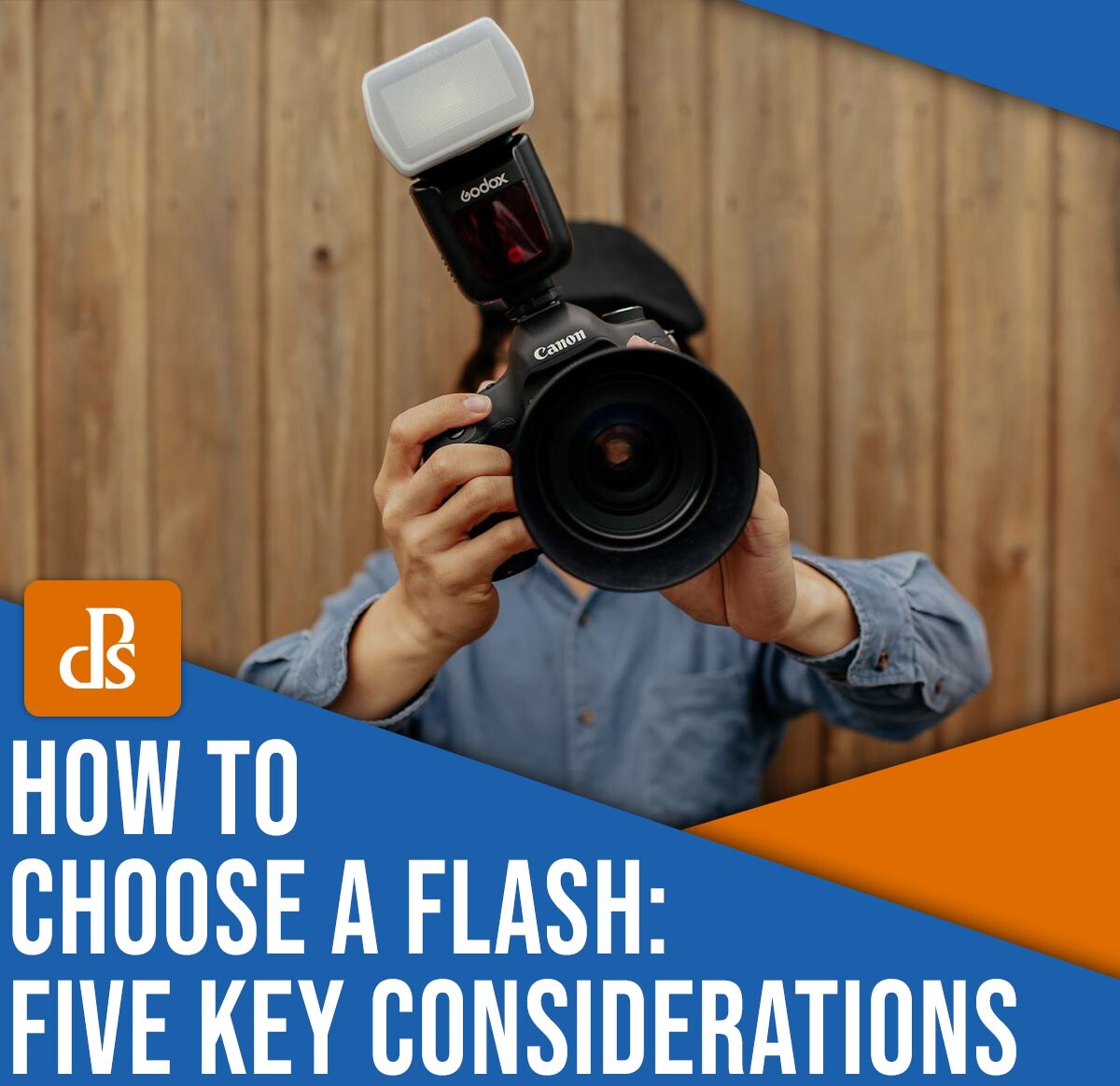
How to choose a flash: Five key considerations

Lighting often makes or breaks a photograph, but thanks to the power and portability of the speedlight, it’s easier than ever to capture well-lit shots indoors, in heavy shade, or even at night.

Unfortunately, for photography beginners – and even for folks who have been shooting for years or decades – choosing the correct external flash can be a huge challenge. There are countless brands on the market today offering a wide variety of flashes, which makes flash shopping confusing and sometimes even frustrating.

But all hope is not lost! As an experienced flash photographer, I’m familiar with the benefits and drawbacks of different flash models; below, I share the five essential items that you absolutely must consider before investing in a flash. That way, you don’t waste your money on a low-quality model that won’t meet your needs.

Ready to pick out the perfect flash? Let’s dive right in.

1. The brand

How to choose a flash

Back in the day, buying a flash was really simple. If you wanted to purchase a speedlight, then you had to pick one offered by your camera manufacturer (usually Nikon or Canon).

Today, however, the situation is completely different, and the market is flooded with other companies that sell speedlights, including Yongnuo, Godox, and Nissin. You still have the option to buy a flash from your own camera manufacturer, but you can also choose third-party models.

Look up the flashes sold by Nikon and Canon, and you’ll notice that they’re extremely expensive compared to third-party options from Yongnuo and Godox. Despite this sticking point, many photographers believe that these Nikon and Canon models are still a better buy, claiming that they boast a longer life, enhanced durability, and better compatibility.

On the other hand, some third-party speedlights genuinely are very well designed, and they can certainly compete with the big brands on performance, durability, and more. Another plus is that third-party flashes are generally a lot cheaper, which is a key point for those looking to buy their first flash.

If you’re not sure whether you’re comfortable purchasing a third-party flash, it’s a good idea to read a few reviews. While some of these models are outstanding, others can be cheap and breakable, so it pays to be informed before you hit the “Buy” button.

2. Flash longevity

How to choose a flash

Just like any other lightbulb, speedlights have a limited life; after a certain amount of use, they’ll “burn out” and stop working.

So before purchasing any speedlight – no matter the company or model – do some research. Look for your selected speedlight’s lifespan listed on the company website, and if you can’t find official specifications, you can always look at Amazon reviews, which users sometimes update to indicate when an item has stopped working.

Bear in mind that you’ll occasionally run into a bad flash unit, so if you find a user reporting that their flash stopped working after three shots or was dead on arrival, don’t immediately dismiss that model. However, if a slew of reviewers claim that a flash died soon after purchase, then it’s best to avoid that product (and perhaps even that brand).

How to choose a flash

One more thing: It’s important that you purchase a flash that doesn’t just work for a long time, but that works well; in other words, the flash should fire properly and at full power. If the flash doesn’t fire properly – even if it produces some light – it’ll generally give you an unusable result.

3. Flexibility

How to choose a flash

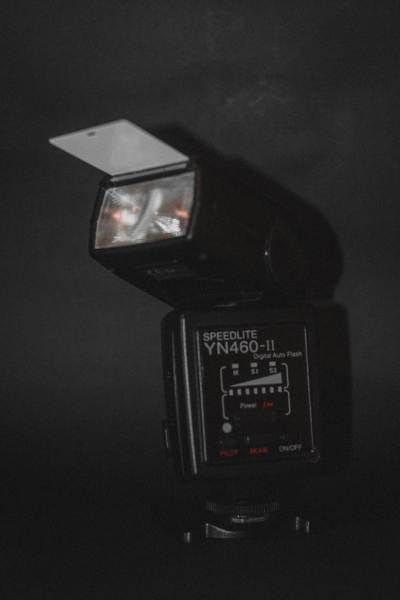
Pop-up flashes – that is, the flashes that come mounted to some cameras – are disliked by most artificial-light photographers for one major reason: They’re completely fixed and offer zero flexibility. They only point in one direction, and they cannot be rotated, pointed upward or downward, or taken off the camera. Thus, the light cannot be controlled or bounced to create a more flattering effect.

Therefore, it’s extremely important to check the flexibility of a flash unit before purchasing. If the head of the flash you buy cannot be moved, tilted, or angled, then you’ll struggle to achieve high-quality results.

How to choose a flash

I’d also recommend researching whether the flash can be triggered remotely. Many studio portrait and still-life photographers prefer to mount their flashes on stands rather than the camera itself, but if the flash doesn’t offer a remote-trigger option, you may grow frustrated. (You’ll also need to check remote trigger compatibility, which can vary depending on the model.)

4. Automatic (TTL) or manual control

There are two basic types of flashes: automatic (TTL) models and manual models.

An automatic flash interacts and communicates with the camera to determine the optimal amount of light required to illuminate a particular scene. In other words, a TTL flash will change its output in response to the ambient light levels in the scene.

How to choose a flash

A manual flash, on the other hand, has to be directed by the photographer at all times. If you want to expose for a dark scene, for instance, you’ll need to manually increase the flash power, and if you want to expose for a brighter scene, you’ll need to manually decrease the flash power.

So which type of flash is better? On the one hand, automatic models are extremely convenient. You can mount the flash on a stand or your camera’s hot shoe, press the shutter button, and expect to get relatively solid exposure results.

How to choose a flash

On the other hand, manual flashes tend to be far cheaper, which makes them a great option for beginners. And because they force you to really understand the ins and outs of flash exposure, they can be a good teaching tool.

At the end of the day, the choice is up to you!

5. Flash recycle time

How to choose a flash

If you’re planning to capture studio portraits or still life shots, this shouldn’t be an issue – but if you’re a serious action photographer who may need to capture multiple bursts of images over a short period of time, then the flash recycle rate is essential.

You see, the recycle rate (also known as the recycle time) is simply the length of time after the flash fires before it’s ready to fire again. Manufacturers almost always list the recycle rate in terms of seconds, and as you can probably imagine, the lower the recycle rate, the better. A flash that can recycle quickly will allow you to capture a burst of sports images – but a flash that recycles slowly may prevent you from creating the photos that you’re after.

How to choose a flash

Note that speedlight specs generally mention two different times (e.g., 0.3-5 seconds). The lower number denotes how soon another shot can be taken if the flash is set to its lowest light output, while the higher number indicates how soon another shot can be taken when the flash is set to its highest light output.

The recycle rate at the flash’s maximum output is more important, and if you want to shoot action, you should always aim to get a flash that has a shorter maximum light output time. Remember, however, that you also need to buy a proper battery for your flash if you want to achieve the recycle rate mentioned by the manufacturer.

How to choose a flash: final words

Now that you’ve finished this article, you should be ready to purchase a speedlight of your own.

But remember that there is no single best flash that’ll appeal to everyone. It really all comes down to your budget and needs; beginners will generally be well served by a manual flash, though more experienced shooters – especially those who work in fast-paced environments – may want to consider an automatic model.

Now over to you:

What flash do you plan to buy? How did you choose? Share your thoughts in the comments below!

The post How to Choose a Flash: 5 Things to Consider appeared first on Digital Photography School. It was authored by Kunal Malhotra.

Add Motion! The Hohem iSteady M7 Gimbal can help!

The post Add Motion! The Hohem iSteady M7 Gimbal can help! appeared first on Digital Photography School. It was authored by Sime.

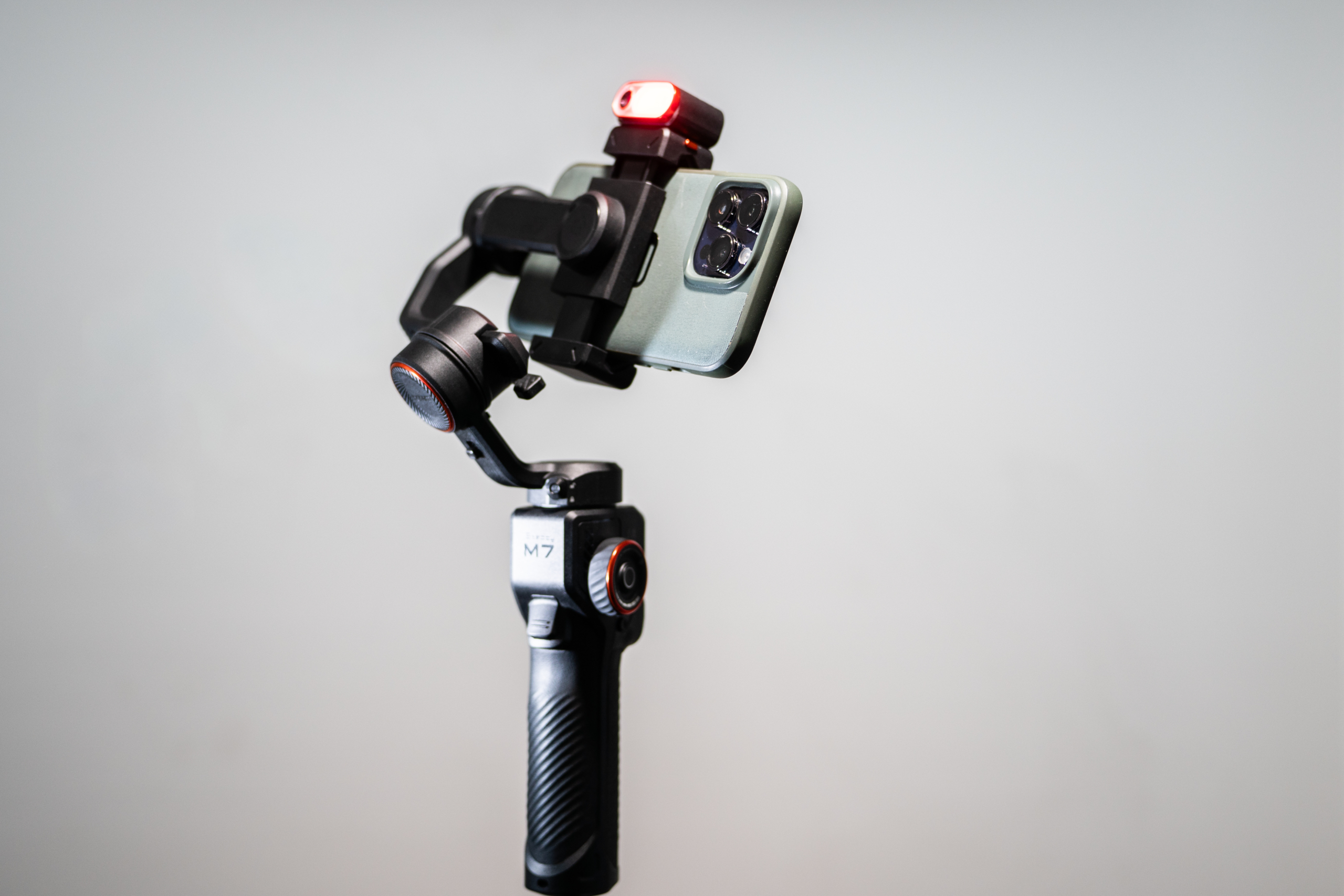
We’ve been sent the latest gimbal from Hohem, the iSteady M7. It’s an ‘Ai Tracking’ gimbal that you can use with your mobile phone to capture video of your work, and after a couple of weeks of using the gimbal for various little projects, here’s what we think! (Tldr; great tool to add to your toolbox!)

Add Motion! The Hohem iSteady M7 Gimbal can help!

When I say ‘video of your work’ I’m specifically talking about that stuff that people seem to love to see in Facebook groups and online in various places, the “BTS” or “Behind The Scenes” from your photo shoots, the footage that people seldom get to experience.

I’ve used all manner of tools to capture behind the scenes of me setting up for a shoot or during a shoot, be it a timelapse of a large group (think team sports) setting up, from when I arrive at the venue to the pressing of the shutter release on the frame that I’m after, to packing away the chairs – I’ve found it’s a nice little extra to share with the team when they get their images for the season! Or another example was when I was photographing a new menu for a client, the experience of setting up the area I was shooting, then the food coming in and out of the set – it was handy for the client (a marketing agency) that they could then use to send to prospective businesses to get more work – There are all kinds of reasons that you might want to maybe catch a bit of video or a cheeky timelapse, and it’s also often the case when you’re starting out that you’re there on your own and don’t have someone to run around capturing that footage…

Well! This is why we thought it might be cool to try out a gimbal like the Hohem iSteady M7, you can use it like a normal gimbal (What’s a gimbal, Simon? : A gimbal is a device that stabilizes a camera or other object, allowing it to remain level and steady despite movement or shaking ) but you can also put it on a tripod and with the Ai follow capabilities, you can have it follow you around your set (It doesn’t walk, no!) and capture that BTS for you, or start a motion timelapse from point A to point B, taking in a whole scene…

The M7 mentions FOLLOW capabilities and Ai in the same sentence, the ability as a solo creator to place your camera phone on the gimbal and have it follow you around the space you’re working in is great! Even with my Pro Max sized iPhone, the gimbal movements were precise and quick, it easily kept track of me – I captured a quick video of the iSteady M7 keeping up with my jerky movements, check this out.

Use-Cases for creating video on your next shoot.

Showcase the creative process – Demonstrates the thought, planning, and techniques that go into a shoot, making the final images more impressive.

Build client trust – Helps potential clients see professionalism, preparation, and problem-solving skills in action.

Create extra marketing content – BTS clips can be repurposed for social media, reels, stories, or blog posts alongside the final images.

Educate and inspire – Provides teaching moments for other photographers or enthusiasts who want to learn from your workflow.

Capture candid, human moments – Shows genuine interactions with clients, models, or crew, which adds relatability and personality to your brand.

Features of the Hohem iSteady M7 Gimbal

  • 360 Degree Infinite Pan Rotation
  • 360 RGB Lighting Colours
  • Detachable 1.4″ LCD Touchscreen controller
  • 500gm Payload
  • Ability to charge / power connected phone
  • Built-in extension pole / selfy stick (it’s about 20cm long)
  • 3 axis stabilisation
  • Live-view via detachable remote

The M7 isn’t the most compact or the most lightweight gimbal you’ll find on the market today, Hohem also have a smaller brother, the iSteady V3 Ultra (Which we’ll also be taking a look at) The M7 weighs in at about 630gm which is actually pretty light! The M7 is never going to fit in your pocket, I found it fit in the laptop sleeve of my new camera bag – small isn’t always better though, the motor strength on the M7 is impressive, easily propels my iPhone 14 Pro Max around like it’s nothing, keeping up with all my shaky handed movement easily ? (I’m a coffee drinker, gimme a break!)

Add Motion! The Hohem iSteady M7 Gimbal can help!

What are our thoughts?

Between the tracking, stabilisation and the live view via the detachable remote, this gimbal is a well-priced option for many of you looking to add a little motion to your photography offerings. You do need to spend a couple of minutes balancing your phone after you put it in the gimbal, but I had no trouble balancing mine, even leaving it in the case was fine. There are MANY controls, but they’re easy to navigate once you get the hang of what they all are, also very easy to install and control the Hohem app if you prefer that. You don’t NEED to install the app, even to use the Ai tracking, you can use it without the app, just using the native camera app on your phone, as the tracking is all done via the little module atop the gimbal – great!

We think this is a great mid-sized gimbal option to use in your creating content, vlogs, making short films with your friends, capturing the holidays or just filming unboxings with a bit of Ai powered dynamic follow-along!

You can check out the Hohem iSteady M7 HERE (There’s a great back to school sale event happening right now)

The post Add Motion! The Hohem iSteady M7 Gimbal can help! appeared first on Digital Photography School. It was authored by Sime.

Review: Espresso Displays 17 Pro 4K display for Photographers and creators!

The post Review: Espresso Displays 17 Pro 4K display for Photographers and creators! appeared first on Digital Photography School. It was authored by Sime.

In the age of portable technology, having a reliable, high-quality external monitor can significantly enhance productivity and creative work. The Espresso Displays ‘espresso 17 Pro’ is a prime example of this! Offering a sleek, high-resolution solution for photography professionals and tech enthusiasts alike. Here’s my review of this beautiful, Australian designed and engineered portable display.

Review: Espresso Displays 17 Pro 4K display for Photographers and creators!
My desk, my coffee – very happy with this setup!

Design and Build Quality

The first thing that struck me about the Espresso Displays 17 Pro 4K display is its design. At just 9mm thin, it is one of the slimmest monitors on the market. The display weighs in at just 1.1kg, so that combined with the ultra-thin profile makes it easily portable, perfect for those who need to travel or work from various locations. The aluminum frame and scratch resistant (level 6) glass not only add to the aesthetic appeal but also ensure durability. (aka my 10yo hasn’t damaged it yet!)

This pro series monitor comes with a super sturdy magnetic stand, aptly named ‘Espresso Stand Pro’ which folds down into a compact travel partner for your display. It allows for easy attachment and detachment, no fiddly lining up, you open the stand and then position your display in front of it and after a decently reassuring thunk, you’re attached and good to go. The stand is pretty much infinitely adjustable, providing multiple viewing angles to suit different needs, whether you’re working, presenting, or watching a video. You can pretty much set the stand from flat to 18 degrees (for drawing) with the handy in-built foot right up to pretty much vertical and everywhere between.

Review: Espresso Displays 17 Pro 4K display for Photographers and creators!
Vertical screen mode – super handy for spreadsheets (or social media management!)

Display Quality

The display measures in at 17.3″ and has a 4k resolution. It can achieve 450 nits brightness, which isn’t as bright as most current day Mac laptops, my 16″ Macbook Pro hovers around 1000 Nits, and honestly I thought this might be a bit of a show-stopper, but in actual real-world use, the displays brightness has been absolutely fine. I’ve used it a variety of environments from my home office to a cafe and for a mixture tasks including photo editing, both in Lightroom and Photoshop, as well as in my 9-5 as a social media manager, having my work and post schedule all spread out on the Espresso Displays 17 Pro 4K wherever I am is a total god-send!

Technical Notes from espresso here:

  • “espresso 17 Pro screen shows 1.07 billion colours, covering 100% of the DCI-P3 colour space”
  • The espresso 17 Pro screen has a resolution of 3840 x 2160, commonly known as 4k. This results in a Pixels Per Inch (PPI) of 257.6. In comparison, the Apple retina display is 227 PPI, and the Apple Pro XDR display is 245.

In short, it’s a stunner!

Performance and Connectivity

This was a big eye opener, it’s so very simple! A single (included) USB-C cable runs your power and signal to the display, you don’t need anything else. Now, you can use an external battery pack if you’re away from power and want to save a little laptop battery power, the Espresso Displays 17 Pro 4K has two USB-C ports, and while you connect your laptop to one, you can connect an external battery to the other to add some external juice. Espresso Displays also have their own ‘Espresso Charge’ external battery, which is a 32,000 mAh gargantuan external battery, it magnets itself perfectly to the Espresso stand and doubles your run time. Note, some airlines may give you a sideways glance when you mention 32,000mAh, so make sure you check before you fly. (I don’t have the battery and wasn’t able to test battery life with it, I’m sorry) Just a note here: It can be taken on flights with carry-on but with permission from the airline. i.e. it’s designed to support as close to a full day of power when combined with a full battery charge on the laptop.

Review: Espresso Displays 17 Pro 4K display for Photographers and creators!
The snazzy purple USB-C cable is included

Portability and Versatility

For my everyday carry, I’m currently using my thinkTank Venturing Observer 20L backpack, its a sleek, no mess, no fuss EDC Backpack and the 17 Pro 4K slots into the laptop section of the backpack with not so much as a MM to spare. I can take the display, my 16″ Macbook Pro as well as the stand, any cables, my pen, headphones, water bottle and a notepad (yes, actual real paper, that stuff is so good – try it haha) with relative ease. The display is lighter than my Macbook Pro, and really hasn’t added any heft to my EDC.

Review: Espresso Displays 17 Pro 4K display for Photographers and creators!
I don’t have a van, but if I did – this is how I’d work!

User Experience and Software

The espresso 17 Pro comes with a couple of pieces of software, notably espressoFlow which is the engine room of screen management if you will, allowing you to manage workspaces, you can use your display as a semi-touchpad, you can rotate the screen and there’s also a great ‘snap’ feature. Oddly, there was one thing I missed when I left the ‘Windows’ computing world, that was the ability to SNAP a screen into a certain place – the espressoFlow software allows you to use a quick set of key combos to shift your active windows from one display to the other, to the left, to the right etc – it’s SUPER handy, even when I’m on my iMac with my traditional second screen, I can use espressoFlow there, and flick windows around my two main screens like I’m dealing cards – it’s a great piece of software!

There’s also JOT, Jot is kinda like a notepad that allows you to draw, as well as implement many various shapes and sizes, think graphs etc. You can draw something, copy and paste it into many various other apps – it’s great for noting stuff down in meetings, kind of like a scribble pade for big kids (But my 10yo also says it’s his favourite thing)

Speaking of Jot, let’s talk about the pen experience for just a minute. The espresso 17 Pro isn’t a replacement for your high end graphics tablet, it’s not coming after your Wacom (in its current form, though I guess they could at some point?) the resolution of the pen isn’t up to scratch with what you can do on a dedicated graphics tablet, but for run and gun edits in photo applications (as opposed to fine detail work) it’s completely fine and really enjoyable to use.

Using the espresso 17 Pro without the pen, with the ‘LiveTouch’ gesture movements and scrolling are silky! Even with my clumsy fingers, the display is very easy to navigate, using similar gestures to those you might be used to using on your Mac.

Battery Life and Power Consumption

One aspect to consider is power consumption. While the monitor does not have an internal battery, it draws power through the USB-C connection. This can impact the battery life of the connected device, especially if you’re using a laptop. However, the power draw is relatively low, and the convenience of a single-cable connection often outweighs this drawback. Keep in mind that for higher brightness levels, you might need to employ that extra external USB-C battery or the espressoCharge.

My Conclusion

The Espresso Displays 17 Pro 4K display is an excellent choice for anyone in need of a portable, high-quality external display. Its sleek design, stunning 4K resolution, and easy connectivity options make it a valuable tool for professionals and creatives. While it may have some minor drawbacks, such as power consumption with prolonged use, the overall performance and portability make it a standout product in the portable monitor market.

Whether you’re a digital nomad, a remote worker, or someone who simply values high-quality displays, the Espresso Displays 17 Pro 4K display is worth considering. It combines form and function in a way that enhances productivity and delivers a superior visual experience.

The post Review: Espresso Displays 17 Pro 4K display for Photographers and creators! appeared first on Digital Photography School. It was authored by Sime.

Introducing the Godox AD400 Pro II Studio Light

The post Introducing the Godox AD400 Pro II Studio Light appeared first on Digital Photography School. It was authored by Sime.

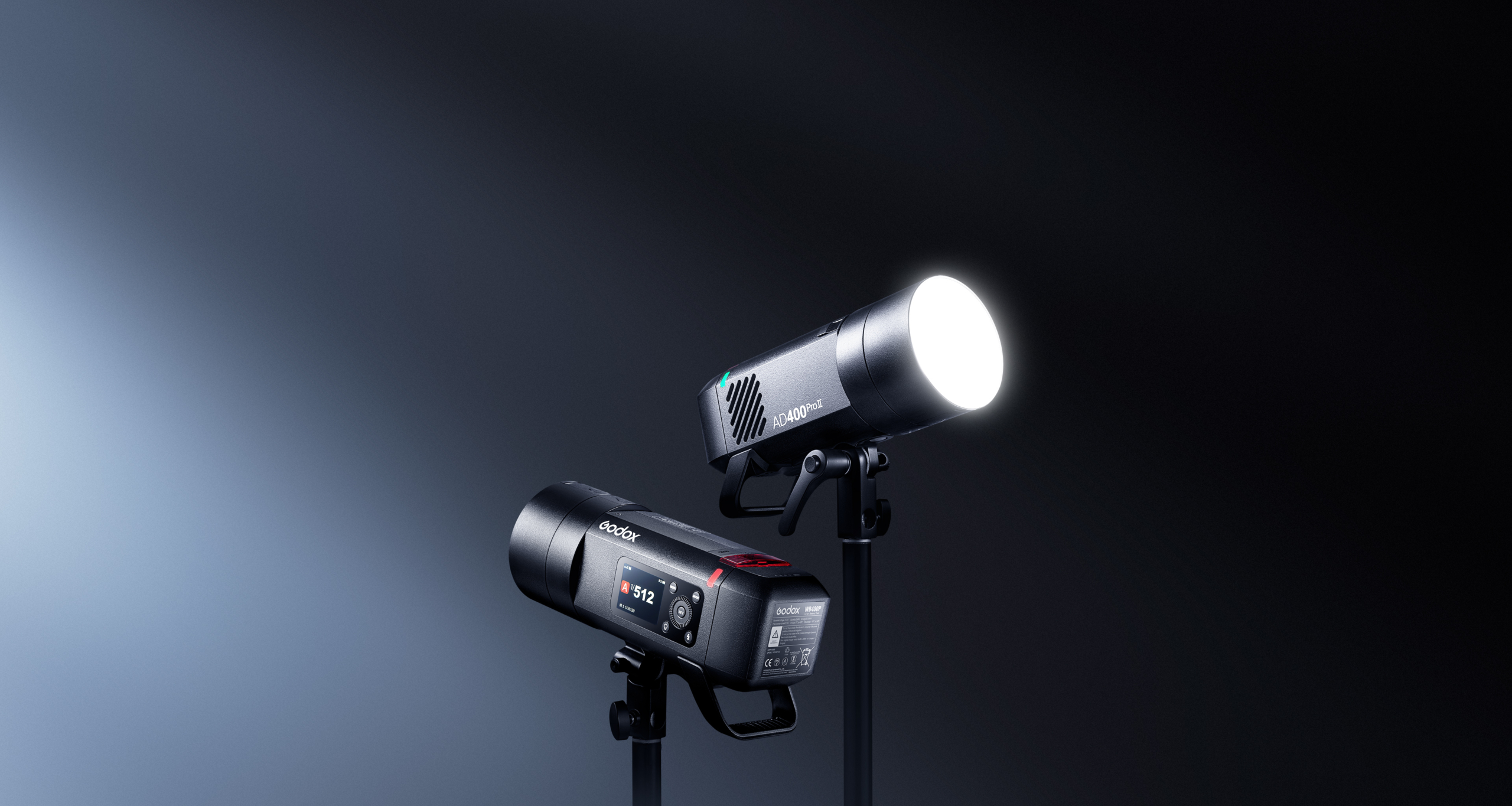
The team at Godox have released the version two of their well loved AD400 Pro series of portable studio lights, or as they like to call them, the All-in-One Outdoor Flash.

Introducing the Godox AD400 Pro II Studio Light

400 Ws & 1/8000 Ws HSS ?

With 400 Ws of output and up to 460 full-power flashes per charge, the AD400ProII delivers sustained, studio-grade performance on location. High-speed sync up to 1/8000 Ws lets you freeze action and balance flash in bright conditions. Whether you’re shooting high-dynamic sports or ultra-short exposures in daylight, every detail comes through with stunning clarity.

Introducing the Godox AD400 Pro II Studio Light

Ultra-Fast Freeze Mode

The AD400ProII can freeze even the quickest motions with an ultra-short flash duration of up to 1/27770 second (t0.1). This lets you capture razor-sharp images of flying water droplets, speeding vehicles, or any fast-moving subject. Coupled with a lightning-fast recycle time (as quick as 0.01 s), the AD400Pro II keeps pace with your creativity without missing a beat.

Introducing the Godox AD400 Pro II Studio Light

1/512 Fine Power Control

AD400 Pro II offers 10 power settings from 1/512 to full power, allowing pinpoint adjustment of flash output for consistent, repeatable exposures.

Introducing the Godox AD400 Pro II Studio Light

30?W Bi-Color Modeling Lamp

The built-in 30?W bi-color LED offers Constant mode for manual brightness (10?%–100?%) and color temperature (2800?K–6000?K), plus Prop mode, where brightness follows flash output. Stable, flicker-free illumination also doubles as a continuous video light.

Introducing the Godox AD400 Pro II Studio Light

2.4?GHz Wireless X System

Equipped with Godox’s 2.4?GHz Wireless X system, the AD400ProII ensures fast and stable multi-light communication. With the X3 trigger, one-tap sync connects all units instantly—no manual group or channel setup needed. It also works seamlessly with Xpro II, X2T, X1, and other X-series transmitters. For expanded triggering options, the USB-C port supports the optional FR433 433?MHz receiver.

Introducing the Godox AD400 Pro II Studio Light

Group Indicator Lights

16 distinct lights assign each group a unique color, so you can identify and adjust any unit at a glance—even in low light or from a distance. Just select the group’s color on screen and tweak power or sync settings instantly, keeping your shoot running smoothly.

Introducing the Godox AD400 Pro II Studio Light

Intuitive Color Display & Controls

Adjust settings instantly using the bright, full-color TFT display, where all key functions are laid out clearly and intuitively. A single press-and-hold of the modeling-lamp button toggles the lamp on or off, putting control at your fingertips and speeding up your workflow.

Introducing the Godox AD400 Pro II Studio Light

Universal Modifier Compatibility

The AD400ProII features both a Godox mount and an included Bowens adapter. Swap between them to use a wider range of modifiers from either ecosystem, unlocking more creative versatility.
*Bowens adapter installs without blocking the Godox mount.

Introducing the Godox AD400 Pro II Studio Light

And much more! You can head over to the Godox website for the full list of features.

Learn more about the Godox AD400ProII on their website here.

The post Introducing the Godox AD400 Pro II Studio Light appeared first on Digital Photography School. It was authored by Sime.

Insta360’s Antigravity A1 8K 360º Drone Takes off!

The post Insta360’s Antigravity A1 8K 360º Drone Takes off! appeared first on Digital Photography School. It was authored by Sime.

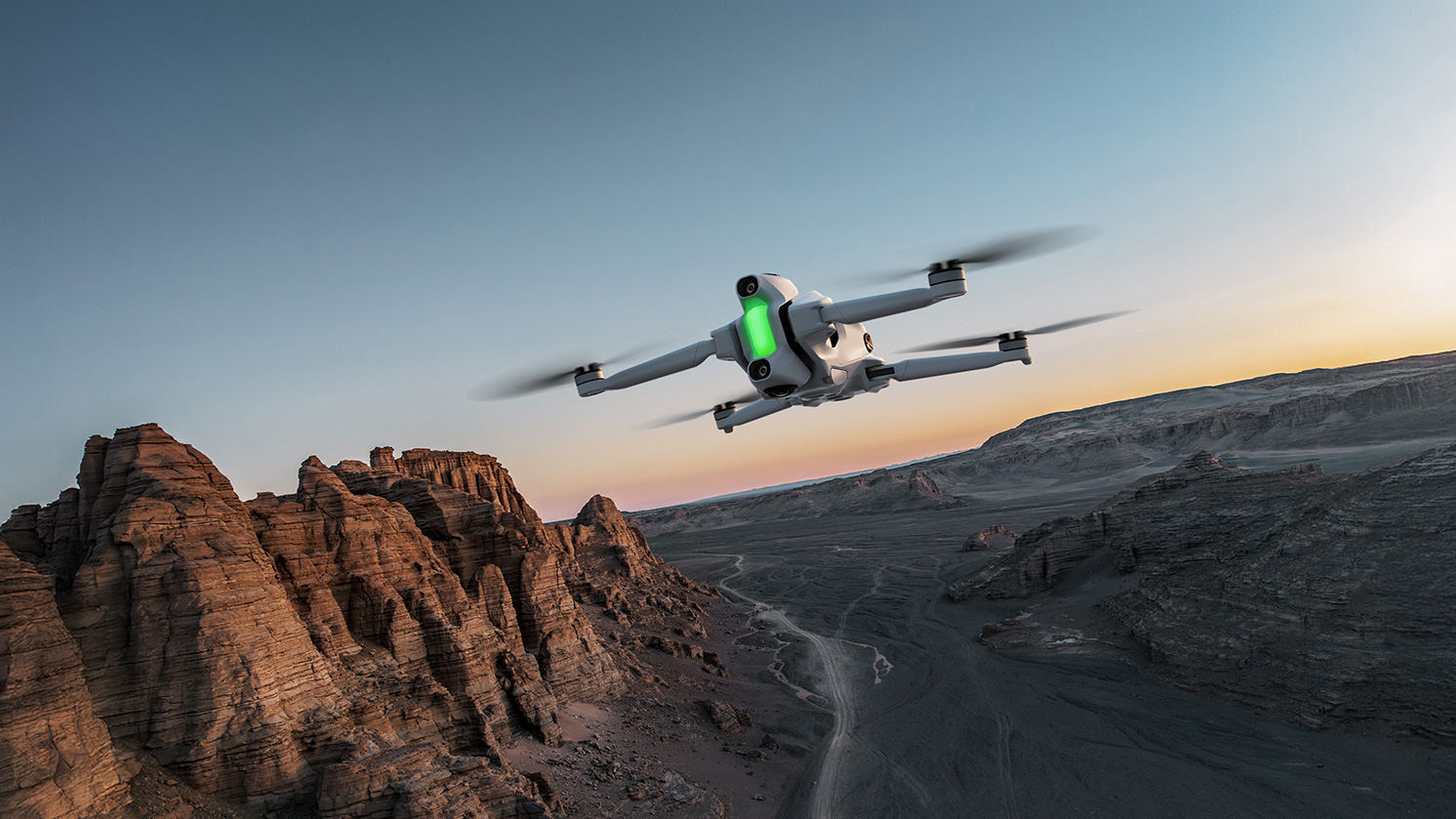
A quick press release for those of you that like to take to the skies! (I know I do) but this time, we’re talking about a 360 camera!

The team at Insta360’s new independent drone brand, Antigravity, have unveiled their new drone the Antigravity A1, the world’s first drone with built-in 8K 360 capture. That sounds impressive and like a whole lot of memory card is going to be needed! ?

Key Features

  • 8K 360 capture with top-and-bottom lens configuration.
  • 360 immersive live view and head tracking via the Vision goggles.
  • Invisible drone effect through advanced image stitching.
  • Intuitive point-to-fly controls with the Grip controller.
  • Never miss a shot with easy post-flight reframing and editing.
  • Compact and lightweight at 249g for license-free flying in most countries and regions.
  • Safety features including return-to-home and a payload detection system.

This is also the first product from Antigravity, the new drone brand incubated by Insta360 in collaboration with third parties. A1 combines immersive flight in 360 degrees, an exceptionally accessible flying experience, and limitless creative possibilities.

The Antigravity A1 uses a dual-lens 360° camera to capture its surroundings in every direction. Its advanced stitching technology seamlessly removes the drone from both live view and recorded footage, delivering an immersive, distraction-free experience that puts pilots right inside the scene.

Insta360's Antigravity A1 8K 360º Drone Takes off!

With every angle recorded in ultra-sharp 8K, pilots no longer need to worry about framing shots mid-flight. Instead, they can reframe their footage freely during editing—making flying simpler and reducing the chance of missing key moments. In post, creators can export in any aspect ratio without sacrificing quality and experiment with effects like Tiny Planet or horizon flips. Those familiar with the Insta360 X Series will feel right at home shooting and editing 360° footage with the Antigravity A1.

“The Antigravity A1 is unlike anything we’ve ever brought to market, and it’s poised to transform drone flight in multiple ways,” says Max Richter, Co-Founder and VP of Marketing at Insta360. “It makes immersive drone flying accessible to more people, while giving both hobbyists and professionals a powerful new way to capture and share their stories.”

Insta360's Antigravity A1 8K 360º Drone Takes off!

You can find the full release over on the Insta360 blog, we hope to get hold of one to test for you dPS drone pilots!

The post Insta360’s Antigravity A1 8K 360º Drone Takes off! appeared first on Digital Photography School. It was authored by Sime.

New Gear Alert: Mini Flash, Maxi Fun! iT20/22 from Godox

The post New Gear Alert: Mini Flash, Maxi Fun! iT20/22 from Godox appeared first on Digital Photography School. It was authored by Sime.

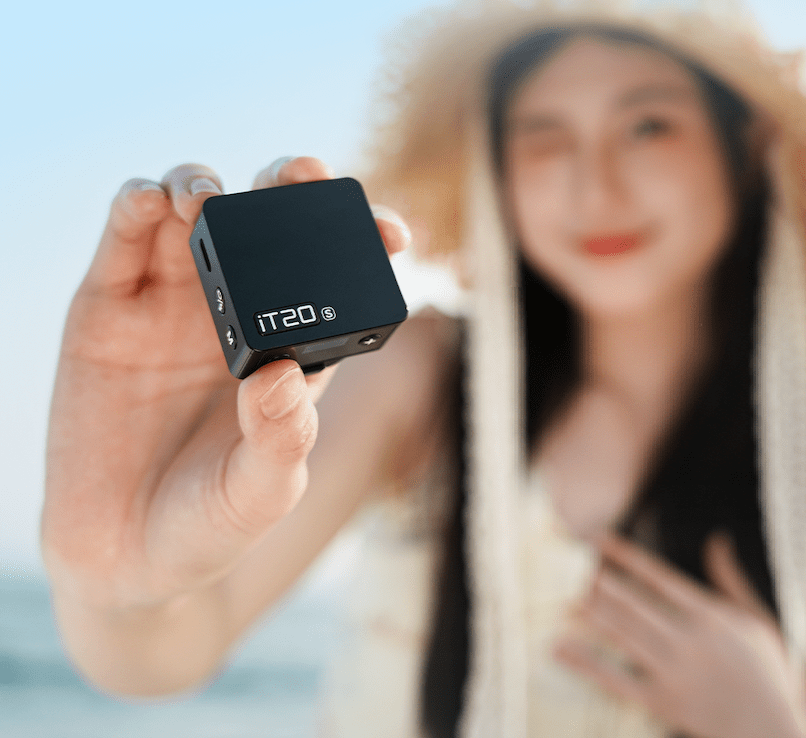
Introducing iT20/iT22 iFlash Camera Flash. 45g Ultra-compact body with TTL function, perfect for both indoor and outdoor use, easily fits in your pocket for anytime creativity. Innovative magnetic accessories for quick light effect switching, creating unique atmospheres and creative possibilities.

Smart TTL, Effortless Results
Say goodbye to complex setups. Our mini TTL flash delivers perfect lighting instantly, empowering you to shoot faster and smarter.

45g Ultra-Compact Design
Its featherlight build takes up minimal space, ensuring you’re always prepared to seize life’s precious moments.

One-Touch M/TTL Mode Switching
Toggle between manual and TTL modes instantly via a dedicated button. The high-definition display shows clear, real-time settings for rapid adjustments.

Magnetic Accessories: Creativity Unleashed
Equipped with magnetic snap-on diffusers, color filters (CTO/CTB), creative gels, and honeycomb grids, the iT20/iT22 transforms light in seconds. Experiment with atmospheric effects and craft distinctive visual stories.

700+ Flashes & 1.5s Recycling
Shoot uninterrupted with 1.5-second recycle times at full power and a remarkable 700-flash battery endurance.

New Gear Alert: Mini Flash, Maxi Fun! iT20/22 from Godox

Precise Power Control
Adjust flash intensity across 6 stops (1/32 to 1/1 power) in precise ±1/3-step increments for total command over your lighting.

Lightweight Lithium Battery

The built-in lithium battery charges swiftly via USB-C—keeping your creativity powered through extended shoots.

Elevate your flash—literally

The Optional TR TTL Hot Shoe Riser lifts your flash by 30mm, ensuring better clearance from the frame edge when using wide or protruding lenses. Compatible with Canon E-TTL II, Nikon i-TTL, Sony, Fujifilm, OM System and Panasonic TTL systems, it supports both auto flash and High-Speed Sync (HSS) functions. A 0-90° tilt adjustment gives you the flexibility to shoot with direct or bounce flash.

*Recommended for use with Godox camera flashes under 300g for optimal balance and stability.

New Gear Alert: Mini Flash, Maxi Fun! iT20/22 from Godox

What’s in the box

Flash Body×1USB-C Charging Cable×1Storage bag×1Magnetic Spreader×1
1/2 CTO
Magnetic Color Filter×1
1/1 CTO
Magnetic Color Filter×1

Optional

Softbox iT20-DF?Compatible with iT20? iFlash On-Camera Flash Light Magnetic Attachment MA01
ModeliT20 C/N/S/F/OiT22 C/N/S/F/O
Compatible Camera ModelsC: Canon cameras (E-TTL II auto flash) N: Nikon cameras (i-TTLauto flash)  S: Sony cameras (TTL auto flash) F: Fujifilm cameras (TTL auto flash) O: OM System/Panasonic cameras (TTL auto flash)
Built-in Lithium Battery7.4V, 300mAh7.4V, 300mAh
Input5V?0.6A5V?0.6A
Charging TimeApprox. 1h10minApprox. 1h10min
Flash Times (1/1 Power)Approx. 700Approx. 700
Recycling Time (1/1 Power)?1.5s?1.5s
Flash Power Levels1/32?1/1, adjustable in ±1/3 increments1/32?1/1, adjustable in ±1/3 increments
Operating Environment Temperature-10?~+50?-10?~+50?
Synchronization TriggerHot ShoeHot Shoe
Dimensions41.5mm×41mm×32mm40mm×64mm×28mm
Net Weight?45g?52g

The post New Gear Alert: Mini Flash, Maxi Fun! iT20/22 from Godox appeared first on Digital Photography School. It was authored by Sime.

Are Lens Filters Still Relevant in the Age of “Fix It in Post”?

The post Are Lens Filters Still Relevant in the Age of “Fix It in Post”? appeared first on Digital Photography School. It was authored by Sime.

In this, the age of “I’ll just put a filter on it in post” are lens filters still relevant?

Are Lens Filters Still Relevant in the Age of “Fix It in Post”?

In the era of Lightroom presets, AI-enhanced editing, and Photoshop wizardry, it’s easy to assume that physical lens filters are obsolete. “I’ll just fix it in post” has become the battle cry of a generation of photographers—both amateurs and professionals alike.

But are we missing something?

Why Filters Still Matter

Let’s be clear: post-processing tools are more powerful than ever. You can simulate everything from graduated neutral density (ND) effects to polarisation with just a few sliders and layers. But the truth is, filters—especially high-quality ones—still offer something digital can’t quite replicate: real-world optical control.

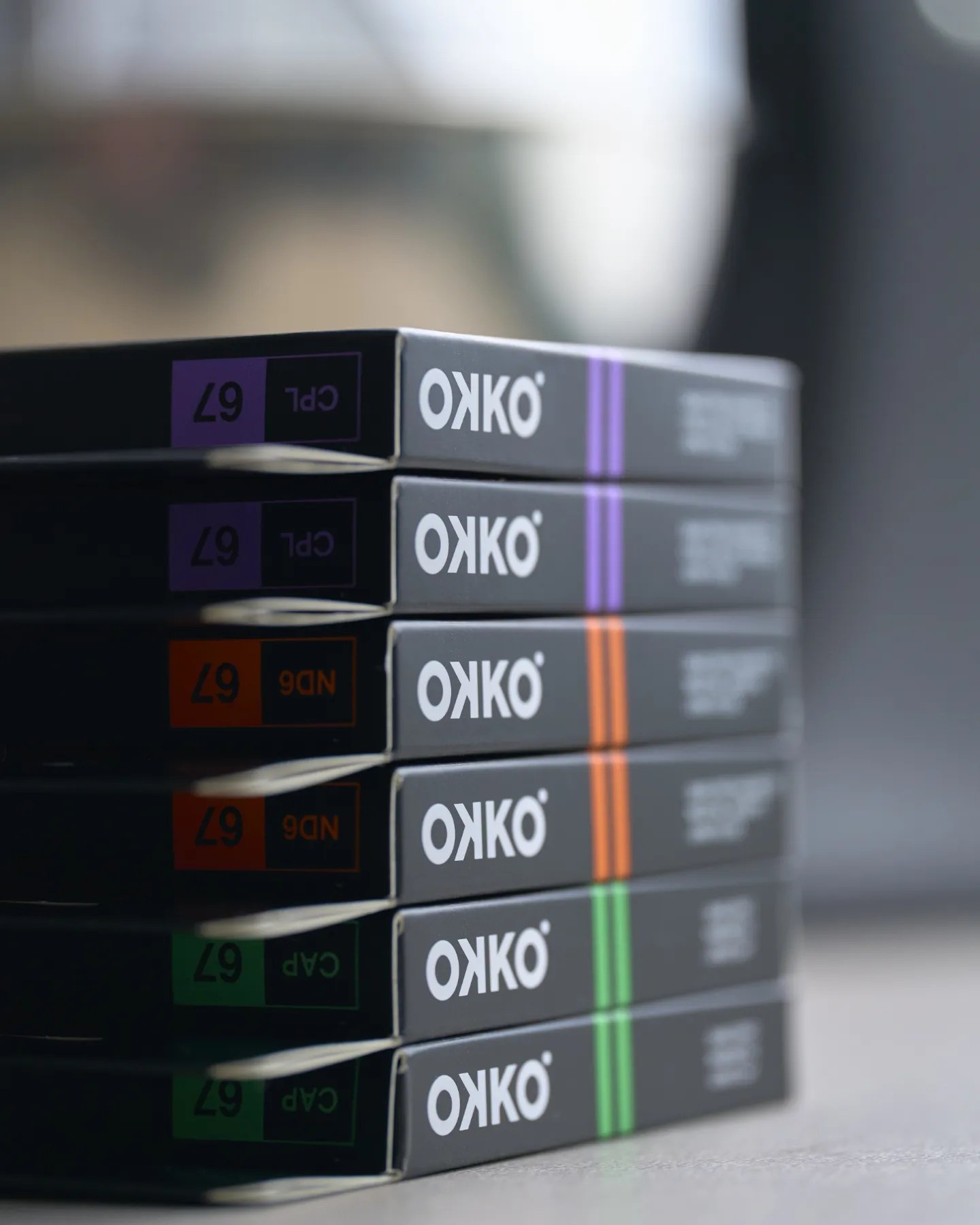
Here’s where physical filters, like those from OKKO, come into their own.

Are Lens Filters Still Relevant in the Age of “Fix It in Post”?

What Makes OKKO Filters Worth Talking About?

OKKO are a Kiwi brand making a name for themselves in the world of affordable, premium lens filters. They offer a range of filters—UV, CPL (circular polariser), ND, and variable ND—built with solid materials, minimal colour cast, and modern coating tech. Their sweet spot? A solid balance of performance and price, without veering into the eye-watering territory of $300+ filters.

Get OKKO Filters on sale on Amazon

Here’s why OKKO Filters are still very much relevant:

1. You Can’t Post-Process What Was Never Captured

No amount of Photoshop can bring back detail in blown-out skies or remove glare from a car window. A CPL filter, like the OKKO Pro Circular Polariser, physically cuts out reflected light, saturates skies, and lets you shoot through glass or water without distracting reflections.

2. ND Filters = Creative Freedom

Neutral Density filters reduce the amount of light hitting your sensor, letting you drag the shutter and create silky waterfalls, smooth clouds, or isolate subjects with motion blur—even in broad daylight. OKKO’s variable ND filters offer flexible light control in a single filter, ideal for both photographers and video shooters.

3. Lens Protection Without Image Degradation

Sure, you can slap a $5 UV filter on your $2,000 lens, but why compromise image quality? OKKO’s UV filters use optical glass with nano-coatings to protect your front element from scratches, dust, and the occasional toddler fingerprint—without softening your shots.

Are Lens Filters Still Relevant in the Age of “Fix It in Post”?

4. They’re Lightweight, Rugged, and Affordable

OKKO filters are made with aircraft-grade aluminium and Japanese optical glass. The build feels premium, but the price tag doesn’t make your wallet cry. You get that “buy well, buy once” peace of mind without the premium-brand markup.

Real Filters for Real Shooters

Are lens filters still relevant in 2025? Absolutely—especially when you’re after better in-camera results, protection, or creative effects that editing alone can’t match.And if you’re in the market, OKKO Filters are a solid place to start. Whether you’re capturing landscapes, filming content on the go, or just protecting your glass, these filters quietly deliver. No hype. Just good gear.

The post Are Lens Filters Still Relevant in the Age of “Fix It in Post”? appeared first on Digital Photography School. It was authored by Sime.

8 Important Composition Tips for Better Photos (video)

The post 8 Important Composition Tips for Better Photos (video) appeared first on Digital Photography School. It was authored by Caz Nowaczyk.

In this video from Jamie Windsor, he explores composition tips for better photos.

https://youtube.com/watch?v=VArISvUuyr0

As Jamie states in his video, sometimes a new photographer can be overwhelmed by all the so-called “rules” of photography. Those, such as the rule of thirds, Fibonacci spiral, and the phi grid. Jamie breaks it down for you, using some classic images by renowned photographers, such as Annie Leibovitz, Sally Mann, Steve McCurry, and Bruce Gilden as examples. While this helps to visualize the points that he is making, it is also great to see many of these fantastic images.

  1. Get your position right
  2. Use your phone to practice composition
  3. Beware the Rule of Thirds
  4. Squint or blur your eyes
  5. Think conceptually as well as aesthetically
  6. Keep it simple
  7. Keep the edges clean
  8. Work in post-processing

You may also like:

The post 8 Important Composition Tips for Better Photos (video) appeared first on Digital Photography School. It was authored by Caz Nowaczyk.

8 Tips to Help Find the Subject for Your Composition

The post 8 Tips to Help Find the Subject for Your Composition appeared first on Digital Photography School. It was authored by Kevin Landwer-Johan.

Do you find it difficult to take photos which hold people’s attention? In our digital societies where image sharing is prolific, it is challenging to have people really take time to look at your prized photos. Image composition is key here.

So I want to give you eight tips on how to create pictures that will grab hold your viewer’s attention. People will want to stop and look rather than keep scrolling past your images.

Mask at a Chiang Mai Market - 8 Tips to Help Find the Subject for Your Composition

A good composition should have a clear main subject. It might be as plain as a landscape or a person’s face, or it might be something very small in the frame. If the composition is good the main subject will stand out like a sore thumb.

We all have a unique view of the world. Each of us takes in the world around us in different ways. If you have ever been on a group photo walk and taken part in a shared image review afterward, you will know this. Each photographer will have walked the same street, and the number of photographers that participated, there will be that same variety of pictures.

girl with Kayan Neck Rings  - 8 Tips to Help Find the Subject for Your Composition

1. Choose a subject you can relate to

What catches your eye? Why does it appeal to you? You should be asking yourself these things when you are taking pictures. If you choose subjects that you feel a connection with you will create more interesting photos. This is simply because you are interested in the subject yourself.

So your initial choice of subject should be something that you can connect with. My subject of the portrait below is a woman my wife and I chat with at the local market. We connect with her. I wrote about her and her late husband in a recent article.

Because I have this lovely friendship with her it is easier for me to make lovely pictures of her. I know she will happily pose for me. I also know I will get a more interesting photo of her when she is that bit more relaxed and not looking directly at me. In this photo, she was chatting with my wife who was standing beside me.

Sticky Rice Vendor - 8 Tips to Help Find the Subject for Your Composition

2. Isolate the subject

About the most obvious way to have your main subject stand out in your photos is to isolate it.

My favorite two ways to isolate my subject is to use a narrow depth of field or a dark background. By using either of these techniques your main subject will be unmistakable.

Choosing a wide enough aperture and having your subject far enough from the background will allow you to have your background blurred and your subject sharp. If you are using a camera with a small sensor or a smartphone with only one lens, this may not be possible.

When you have a dark background your subject will stand out, especially when there is more light on the subject than the background. To achieve this look find a spot where the background is in the shade and your subject has more light on it/them.

Kayaw portrait - composition

3. Choose your lens carefully

Your choice of lens can affect how you compose the image and how your main subject will be seen. Sometimes a wide-angle lens is better than a telephoto. Other times you will need a longer lens.

Getting close to your subject with a wide lens has a different effect than if you use a long lens and position yourself further away. If you are not sure about how this works the best way to learn is to experiment.

Try taking a series of photos of the same subject with various lenses or zoom settings and see in which photos your main subject looks the best.

Chaing Mai Fresh Market Vendor - composition

4. Frame your subject

Set up your subject how you want to see them. Move around your subject and study them from different angles. Watch closely how the background changes in relation to what’s behind them. Find an angle where your subject looks best.

Limit what you include in your frame. Fill your frame only with what is relevant to the photo you are making. If you can see anything in the frame which does not balance with or enhance your subject keep making changes until you can no longer see those things.

5. Exploit the foreground

Make use of something in the foreground of your composition to draw the viewer’s eye to your subject. This technique will add depth to your composition.

Use an object which is in front of your main subject, either in focus or out of focus. This can help bring the viewer’s eye to concentrate more on your subject.

Kayaw Ethnic Minority Girl by Kevin Landwer-Johan

6. Use leading lines and diagonals

Composing your photo so there are strong lines leading to your main subject will enhance it. The viewer’s eye will be lead along the lines to rest on your chosen subject. This is a very simple, very effective technique.

Diagonal lines used well in a composition can also be used to draw the viewer’s eye to the main subject.

7. Time it well

Choosing the right time to take your photo can help to bring attention to your main subject. When you are photographing in a busy location good timing is imperative. Having someone walk in front or behind your main subject just as you take your photo would detract from your main subject.

Watch carefully. When I am in a busy place I usually have both eyes open, rather than closing one. This way I can see more of what is happening around me and my subject and it helps me time my photos better.

Bust Chiang Mai Market by Kevin Landwer-Johan

8. Crop imaginatively

Don’t always stick to the rules of composition. Stepping outside the box can help highlight your main subject in unusual ways.

In this photo of the gold elephant statue against the gold wall of the chedi, everything tended to blend together. The harsh light was not helpful. Cropping tight to the elephant and only including half of it draws your attention there. The negative space balances the composition.

Temple Gold Elephant by Kevin Landwer-Johan

Conclusion

Try these tips sometimes. Be mindful of your main subject and whatever else is in your frame. If there are distractions, use one or more of these techniques to draw attention to your main subject and have it tell the story you want.

Having your primary subject stand out will make your photo easy for people to look at and relate to. But more than just having your subject stand out, you need to frame it so that it lets viewers see the subject and scene how you see it.

The post 8 Tips to Help Find the Subject for Your Composition appeared first on Digital Photography School. It was authored by Kevin Landwer-Johan.

Composition Checklist for Beginners

The post Composition Checklist for Beginners appeared first on Digital Photography School. It was authored by Stacey Hill.

Composition Checklist for Beginners

At a recent meetup with several photographers, during a discussion on composition, one of the beginners commented: “Why isn’t there a composition checklist for all the things we need to think about?” It was a good question and was the inspiration that prompted this article.

It’s not about the gear

You can have the most expensive camera gear and the most amazing light. You could be in a fabulous scenic location, or shooting a stunning model. There are many situations that might provide you with the opportunity to shoot breathtaking images, but if the composition is not spot on, then it doesn’t matter how fancy or expensive your gear is.

Composition Checklist for Beginners - flower blooming

The reverse is true also, you can craft amazing images with beginner grade gear (even your cell phone) if your understanding of composition is good. When you know the rules and guidelines, can work them to your advantage, and even push the barriers and be really creative. No one will care what gear you used to get the shot, they will go “Wow, you must have an amazing camera!”

Learn the composition basics

Even though there are many different kinds of photography, whether you do street, landscapes, macro, studio or anything else, there are a lot of basic composition concepts that apply. Not every concept will need to be considered for every image but having a good understanding of the basics will get you a long way.

Truly understanding composition was one of the major steps in my photography making a big step up in improvement. Like every new idea, you have to put some effort into learning the idea, practicing, learning from your mistakes and practicing again and again. When you can frame up a well-composed shot without consciously thinking about what you are doing and why then you can really start to think about new ways to frame and shape your images.

First, you have to master the basics.

roller derby - Composition Checklist for Beginners

Getting Started

First of all, these are not rules. While there are some guidelines you should consider when creating an aesthetically pleasing image, it is entirely possible to ignore them all and still make a stunning image. It is, however, a lot easier to do that when you know what the guidelines are first. So this is a list of concepts you should consider for each image, not rules you absolutely have to follow.

Some things are easy and obvious, or so you might think. Yet the number of images with noticeably crooked horizons you see posted online is a testament to the fact that this stuff is not always obvious, and is hard to learn. Be kind to yourself and take it in stages. Maybe even write your list down and carry it in your camera bag as a handy reminder.

Also, every image will have different elements in it, and different concepts will apply. So pick and choose the ones that work for you and the scene in front of you. As an example, there are things you would do when framing up a landscape that won’t apply when shooting street photography shots.

So be sensible, pick a few that make sense to you or that apply to the way you shoot. Then practice them until it’s like breathing – it just happens automatically when you pick up the camera and frame a shot. When you get to that stage, add some more concepts to your process, and absorb those the same way.

Composition Checklist

So here is the checklist of things to look for in your composition as a starting point.

  1. Is the horizon straight?
  2. Is the subject strong and obvious within the image?
  3. Are the edges of the frame clean? Is anything poking into the frame that distract the viewer? Are there elements of the image that lead the eye out of the frame that could be positioned better?
  4. Is the background clean – are there distracting elements like a car parked in the background, or a fence or a house that doesn’t fit? Can you move or change the angle to remove that element?
  5. Is the foreground tidy? Are you shooting a landscape or natural scene where there might be branches or leaves or twigs in the foreground that could be tidied away?
  6. The position of people in the shot. Do they have a lamp post or a tree growing out of the top of their head? Have you chopped heads, feet, arms, or legs off?
  7. Eye contact – when shooting a group of people, do we have eye contact with all your subjects?
  8. Camera position – are you at the right height/angle for the best composition?
  9. Point of focus – when taking photos of people/creatures/animals have you focused on the eye? Do you have a catchlight in the eye?
  10. Is the Rule of Thirds being used effectively?
  11. Do you have a sense of scale – particularly valid for large landscape scenes?
  12. How does the eye travel around the image? Where does it go first? Where does it end up? Is that the story you want to tell the viewer?
  13. Lens choice – does the lens you are using affect the composition in a positive or negative way? Would a different lens be worth considering?
  14. Less is more – what truly needs to be in the frame? What can you leave out?
  15. Is it sharp? Do you want it to be?

Considering Composition in More Detail

#1 – Is the horizon straight?

It would seem fairly easy to notice if the horizon is straight when you are taking a shot. It is also extremely easy to fix in post-processing, yet so many images are posted online that have crooked horizons, varying from a little bit to quite a lot. Our brains automatically hiccup when they encounter it, so it is a genuine composition issue that needs to be resolved.

You can take the time to set the camera up so it is completely level. When shooting a panorama, timelapse, video and similar things, it is worth the extra effort. For general purpose use, it can be easily edited in post-production.

tilted horizon example - Composition Checklist for Beginners

The horizon is about 3 degrees tilted down to the left – just enough to make your brain twitch.

#2 – Is the subject strong and obvious within the image?

There are some composition concepts that are fairly straightforward and obvious, like point #1 above. Then there are some that are more open to interpretation.

This point could be considered one of those things. However, I then propose this question to you. If the subject is not strong or obvious then how do we know what the point of your image is?

Composition Checklist for Beginners - green garden image

There are a lot of competing elements in this image, where do we start?

#3 – Are the edges of the frame clean?

Are there things poking into the frame that distract the viewer? Look for elements in the image which lead your eye out of the frame. Could they be positioned better?

Running your eye around the edge of the frame when composing your shot is a valuable step that can save you a lot of time. This is one lesson I personally had to learn the hard way and it applies to most general styles of photography.

Are there things poking into the frame from outside it that impose themselves on the image and distract the viewer? Are there blurry elements in the foreground that you could move or change your point of view to reduce their impact? Is there half a car or a building partially visible in the background perhaps?

Quite often when you are framing a shot, you are focused so intently on the subject, that you may neglect to see the whole image. So you may miss these extra details that can make or break the shot.

purple flower - Composition Checklist for Beginners

The extra leaf and bud in the top left corner are distracting.

#4 – Is the background clean?

Are there distracting elements like a car parked in the background, or a fence or a house that doesn’t fit? Can you move or change the camera angle to eliminate that element from the image?

This is an extra step on top of point #3 above – putting more effort into assessing the background.

Are you taking a nice landscape and there is a farm shed clearly visible? Perhaps there is a truck parked in the distance or a vehicle on the road you need to wait to move out of frame. Are the colors harmonious? Is the sky doing nice things? Is the sun a bit too bright in the clouds?

colonial mansion - Composition Checklist for Beginners

This lovely colonial mansion had a very modern hospital and school behind it and was difficult to frame it up to reduce those jarring elements.

#5 – Is the foreground tidy?

Are you shooting a landscape or natural scene? Are there branches, leaves, or twigs in the foreground that could be tidied away?

This is particularly relevant in nature and landscape photography, but still worth remembering in general.

Is what you have in the foreground adding to the image or distracting from the subject? Is there rubbish or stuff on the ground that looks messy? Are there twigs too close to the lens so they are blurry? Can you move any branches or things out of the way or do you need to change the angle of shooting instead?

Composition Checklist for Beginners - red mushroom

Look at all the mess of cones and twigs in the foreground, all blurry and untidy.

#6 – The position of people or the subject

Do any people in your image have lamp posts or a tree growing out of the top of their heads? Have you chopped heads, feet, arms, or legs off awkwardly?

Often a problem for posed outdoor shots, this is essentially a specific element of point #3 above – checking the background in relation to your subjects.

Is the camera straight, is the angle flattering? Are people squinting into the sun? Is the lighting good? Do you have all their body parts within the frame? Is everyone looking in the same direction or interacting in the desired manner?

cat photo - Composition Checklist for Beginners

His eyes are sharp but I cut his front paws off, not good.

#7 – Eye contact

When shooting a group of people, do we have eye contact with all the subjects?

Quite often when shooting people they will generally be looking at the camera. However, if some are and some are not, it has a weird kind of dissonance to the viewer. So make sure you have some way of engaging the people so they look at you and take several shots.

If worst comes to worst you can work some Photoshop magic to blend a few frames together if it’s a critical image.

Composition Checklist for Beginners

Notice they are not all looking at the camera.

#8 – Camera position

Are you at the right height and camera angle for the best composition?

Being at eye level with your subject makes a big difference to the feel of an image. When photographing people, the camera angle does have an effect on how flattering the shot might be to the subject.

You may want to push some creative boundaries and do something different for a particular scene. Street photography is one genre where the height and angle can directly impact the story you are telling.

On average most people tend to stand and shoot from that position, but what if you get down really low?  What if you find some stairs or some way to get higher up?  What if you shoot straight down on top of your subject rather than side on?

Start to think more creatively about how you use composition to evoke a mood or tell a story about a scene.

white swan - Composition Checklist for Beginners

This image works because I was flat on the shore at a similar height to the swan. Had I been standing you would not have seen the wonderful curve in the bird’s neck.

#9 – Point of focus

When taking photos of people, creatures or animals have you focused on their eyes? Do you have catchlight in the eyes?

If you have a subject with eyes in the image that is looking at the camera it is important to have the focus point on the eye. Faces of people, birds, and animals are very dimensional and it can be easy to get the focus point on the tip of the nose or forehead or somewhere else. So if you have a living creature looking at your camera, focus on their eye.

Another trick to make them look alive and engaged is to angle your shot so that there is some light reflected off the dark iris. This is called a catchlight and is important especially for animals and birds that have large dark eyes. Fashion photographers use fancy round beauty dish lights to give a distinctive ring effect in their shots.

Composition Checklist for Beginners - cat photo

The nose is sharp but the eyes are just a bit out of focus which is not desirable.

#10 – Is the Rule of Thirds being used?

While the Rule of Thirds is more of a guideline than a hard and fast rule, it is a good one for a beginner to take on board. It is easy to remember and does help you create a more dynamic and interesting image when used well.
So if you intend on using it, add it to your mental checklist.

birds - Composition Checklist for Beginners

The subject in this image is more or less in the middle, but if you crop it to use Rule of Thirds the image doesn’t work as well.

#11 – Do you have a sense of scale in your landscape scenes?

Big mountain vistas are lovely. But sometimes they can become bland and uninteresting because they lack a sense of scale to truly appreciate them.

One recommendation is that a foreground element can be used to both ground the image and provide scale for the big vista behind it. Some photographers like to use themselves as a prop to help add scale as well.

Composition Checklist for Beginners - man in landscape scene

#12 – How does the eye travel around the image?

Where does your eye go first? Where does it end up? Is that the story you want to tell the viewer?

What do you have in the image to engage the eye? Are there different elements or points the eye can travel around? Does it have contrast? Are there elements that lead the eye out of the image? Are there elements that lead the eye into or around an image?

spider web in a tree - Composition Checklist for Beginners

#13 – Lens choice

Does the lens you are using affect the composition in a positive or negative way? Would a different lens be worth considering?

This can cross the boundary between a technical consideration and a creative one. Sometimes there may be a valid reason to use a specific lens, a faraway subject likely to fly away demands the use of a long lens. A tiny flower might be better shot with a macro lens. Telephoto lenses compress the elements in an image, making them seem closer together. Wide angle lenses create a lot of distortion around the edges, especially at minimal focal lengths.

Beyond that are the creative choices. Yes, you could shoot the front of this house with a wide focal length, but what if you put a zoom on and highlighted the fancy door knocker or handle? Is the lens you are using giving a flattering look to the person you are shooting?

Composition Checklist for Beginners - large eagle wings spread

A different lens would have allowed me to zoom out far enough to get this entire bird in the frame *sigh*.

#14 – Less is more

What truly needs to be in the frame? What can you leave out?

A mistake a lot of beginners make is to include too many elements in an image. It can be cluttered, messy, and confusing as to the point of the image.

Sometimes that can be used to advantage in things like street photography, but usually, less is more. A strong obvious subject and minimal distraction around it is a very aesthetically pleasing combination but it can be difficult to learn how to frame images up this way.

Composition Checklist for Beginners - landscape scene

So much going on here, its a bit overwhelming with no clear subject. It’s a pretty scene but is the composition effective?

#15 – Is the image sharp?

Do you want it to be? Not every image need to be 100% sharp. You can use aperture to creative effect by selecting a narrow depth of field. ICM or Intentional Camera Movement adds blur and movement as well. Use of specialty lenses like those from Lensbaby gives you many different ways to add soft focus or special effects to enhance your image.

Many street shots have blurred movement and creative focus elements, either the photographer or the subject (or both) may be moving.

Some people insist that images be absolutely as sharp as they can be, but that is a creative choice up to you, the photographer.

Composition Checklist for Beginners - motion blur from moving water

A bit of slow shutter speed on the waves for a soft creative swirl effect.

Summary

Some of the items on the checklist are basic sensible things that apply to most images. Some are more advanced technical considerations. Others may only apply if you are considering trying some more creative approaches to your composition

There are many other specific technical concepts that are not covered in this composition checklist. When you are ready for them, you can find plenty of information here on dPS to guide you.

This list is designed to cover the most basic ideas and thoughts that a beginner might need to keep in mind when first starting to think about properly composing and framing up their images. Good news, if you have made the step to start making your images with deliberate intention, that means you already have your feet on the path to becoming a better photographer.

Pick a few key items from this composition checklist that apply to your style of photography and try to remember them deliberately everytime you shoot. Eventually, it will become so automatic, you adjust for them without thinking, your mental muscle memory will have kicked in.

Are there any key concepts you feel should be included in this list?  By all means, let me know in the comments below.

The post Composition Checklist for Beginners appeared first on Digital Photography School. It was authored by Stacey Hill.